Management system for real estate developments

From the map to the reservation, in one place.

A sales operations and visual management platform for real estate, delivered with your company's name, logo and colors — and adapted to your country's language and real estate rules.
Adaptable to any country Your company's brand Real map and location Reservation control
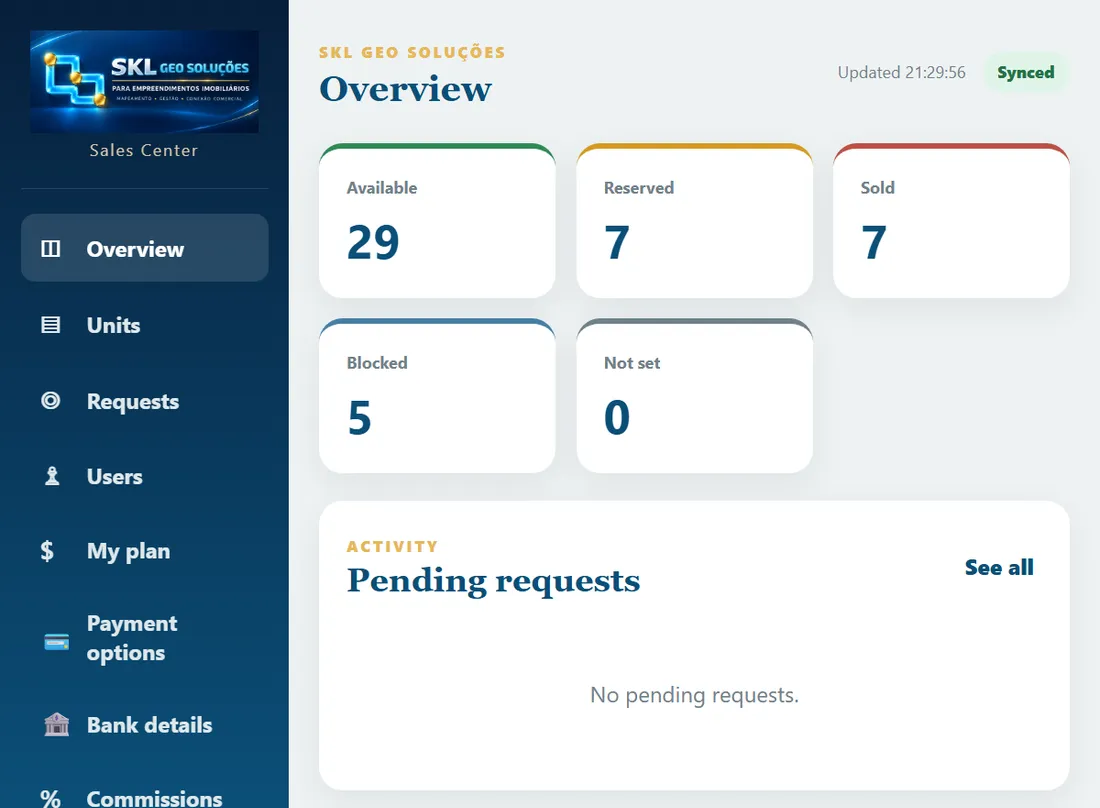
Sales office: dashboard with available, reserved, sold and blocked units
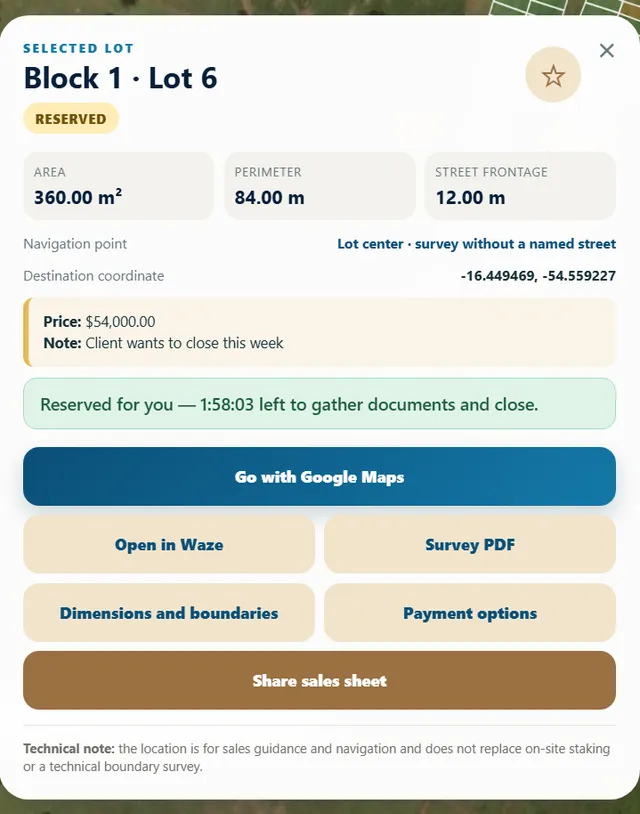
Broker app: lot details with a countdown to complete the reservation
For companies in any country

We adapt the system to your country's rules

Every country has its own language, currency, documents and way of selling, renting and registering property. SKL's platform is adapted to those rules during onboarding: you get a system built for your market, with your company's brand.

01

Language

Screens, messages, reports and documents in the language of your team and your clients.

02

Currency and taxes

Prices, installments, commissions and reports in your local currency, following your country's tax rules.

03

Documents and records

The personal, company and property documents your country requires, instead of Brazil's.

04

Business rules

Reservation deadlines, payment options, financing simulation, commissions and contracts that follow your policy.

05

Maps and units

Lots, blocks and areas in the units your market uses (square meters, square feet, hectares, acres and others).

06

Integrations

Connection to the CRM, ERP, listing portals or banks your company already uses, assessed case by case.

The screens on this site show what the system looks like in English, with fictitious demo data. Today the interface in use is in Portuguese (Brazil): the version in your language and with your country's rules is prepared during onboarding and is part of the proposal.

What sets us apart

A system that looks like your company

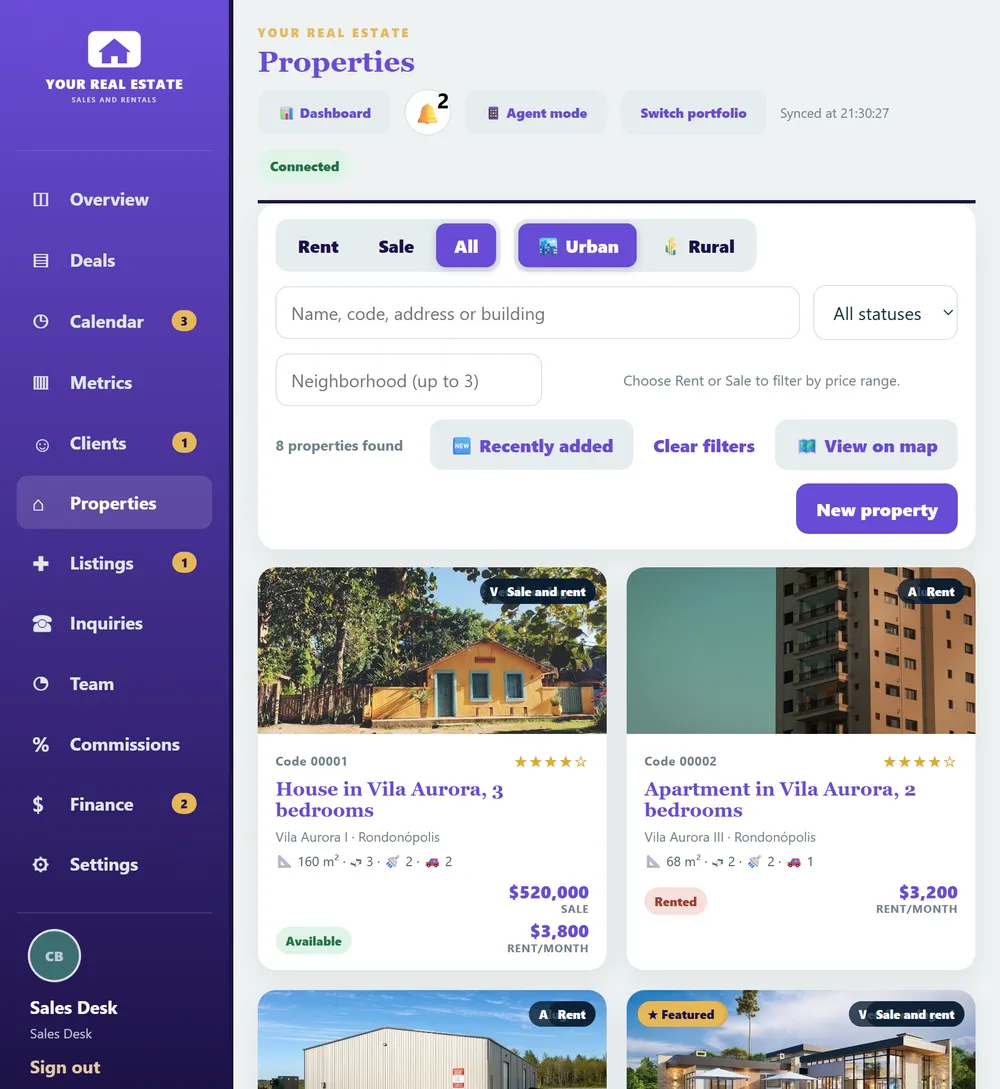
Your team and your clients don't use “SKL's system”: they use your company's system. Name, logo and colors in the sales office app, the broker app, the PDFs and the photos.
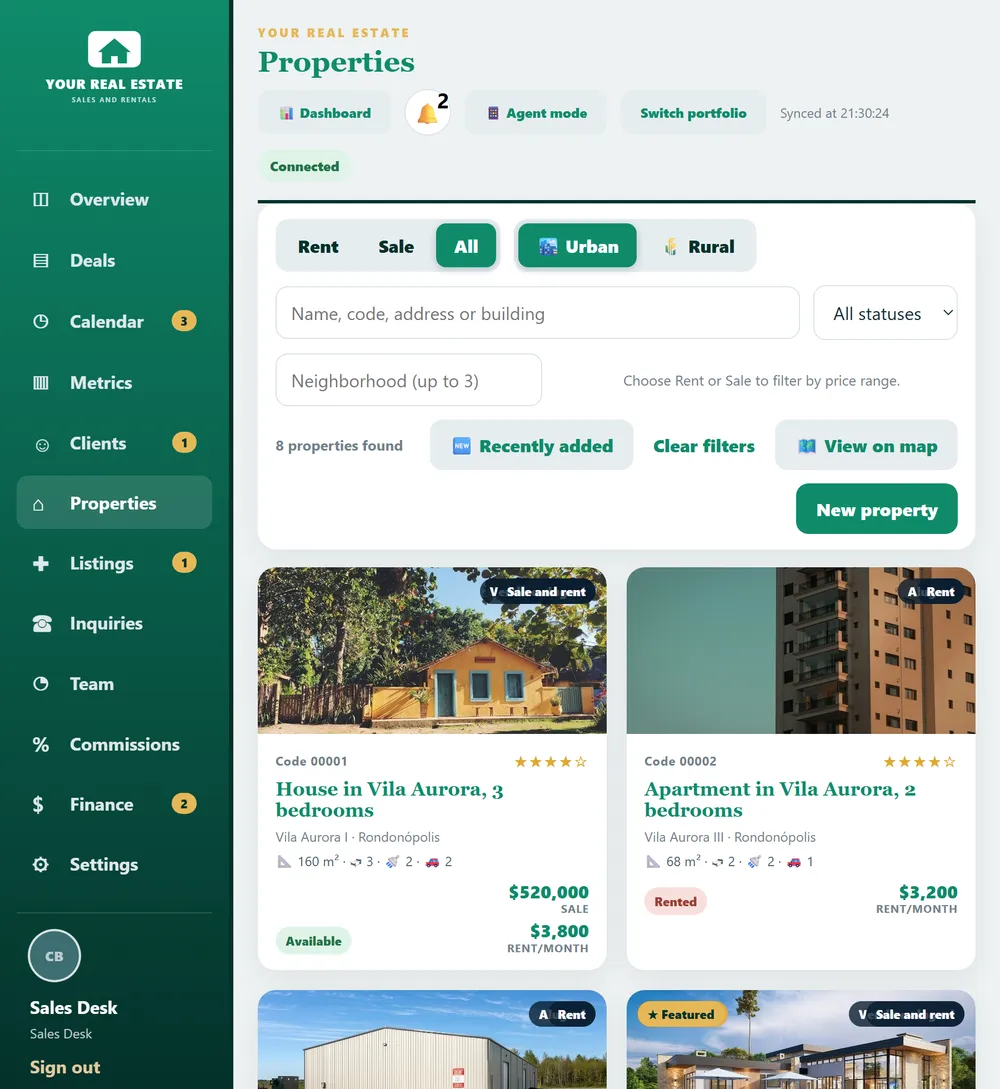
Fictitious example: property screen with a green brand
Your Agency
Fictitious example: the same screen with a purple brand
Your Brand
Fictitious example: the same screen with a terracotta brand
Your Name Here

On everyone's screen

Sales office, broker app and the property page sent to clients, all with your company's name, logo and colors.

On your company's link

Your team signs in through its own link, which can use your company's web address, and installs it on the phone like an app.

On every document

Reports, proposals, receipts and contracts as PDFs with your logo, and property photos with your watermark.

Screens with fictitious brands, created only to show the customization. Tap any screen on this site to enlarge it.

Land subdivisions · map and location

Every lot in its place on the map — and the way there

Your whole inventory under control: each lot linked to its real position, its technical data and the sales process.
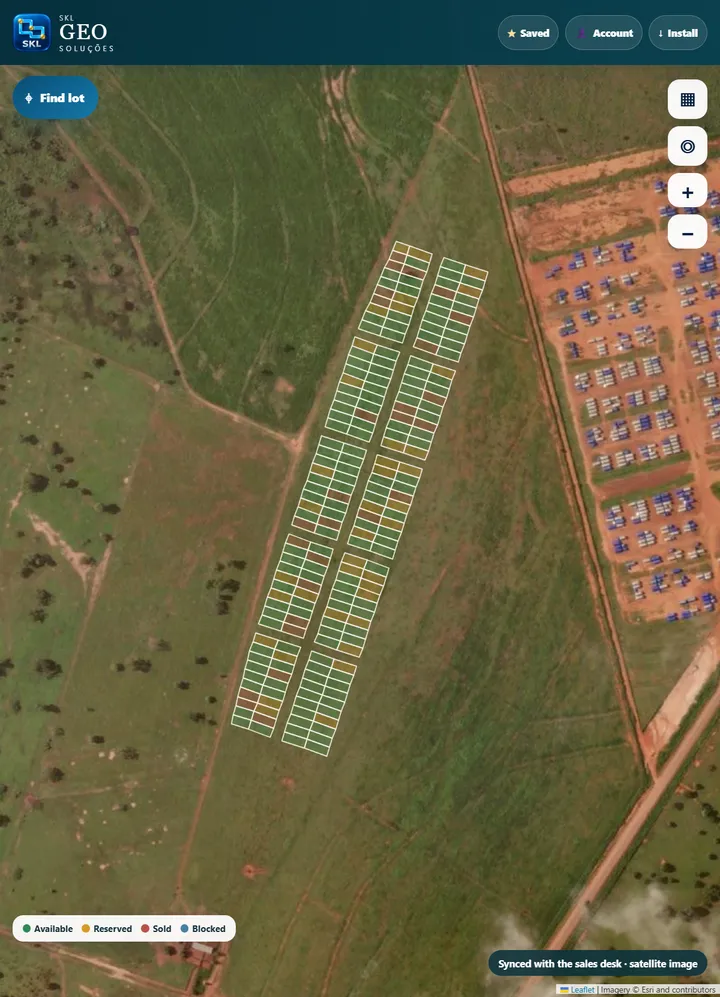
Broker app: satellite image of the subdivision with lots colored by status
Subdivision on satellite
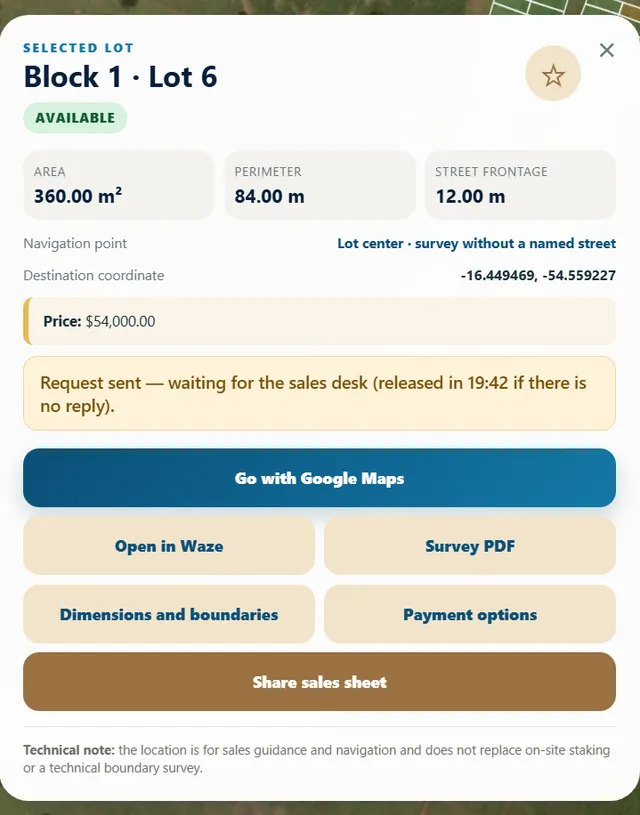
Broker app: lot details with coordinates, Google Maps, Waze and survey PDF
Lot details with directions
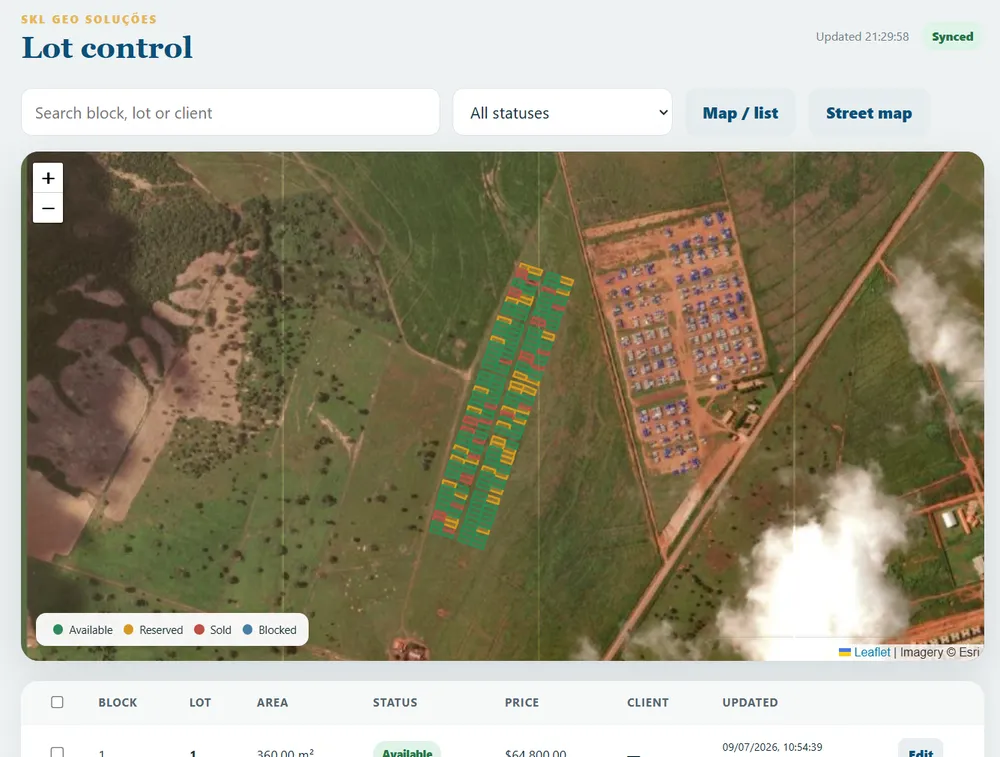
Sales office: map of lots colored by status and a list of lots
Sales office — map and lot list
  • Dashboard with available, reserved, sold and blocked lots in real time
  • Interactive map colored by status, with satellite imagery
  • Measurements for each lot (area, perimeter, frontage and boundaries) and survey description in PDF
  • Directions to the lot on Google Maps or Waze
  • In the field, with GPS, the app shows which block and lot the broker is standing on, even offline
Buildings and developers

From tower to unit: floor plan, position and sales information

Each unit linked to its real position. Clients see the floor plan, the floor and the finishes; brokers present and reserve without leaving the unit page.
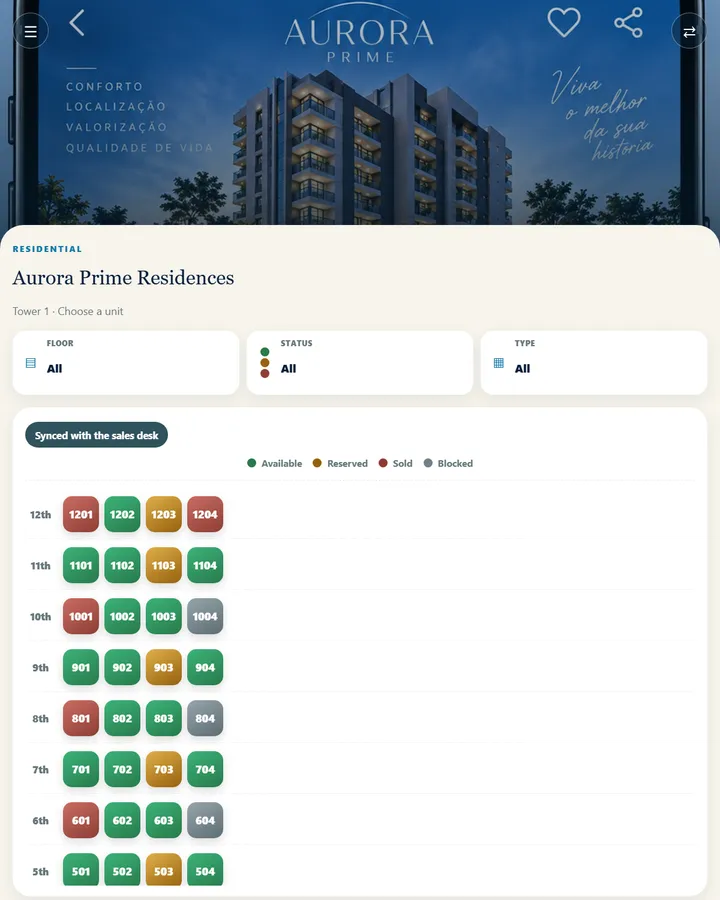
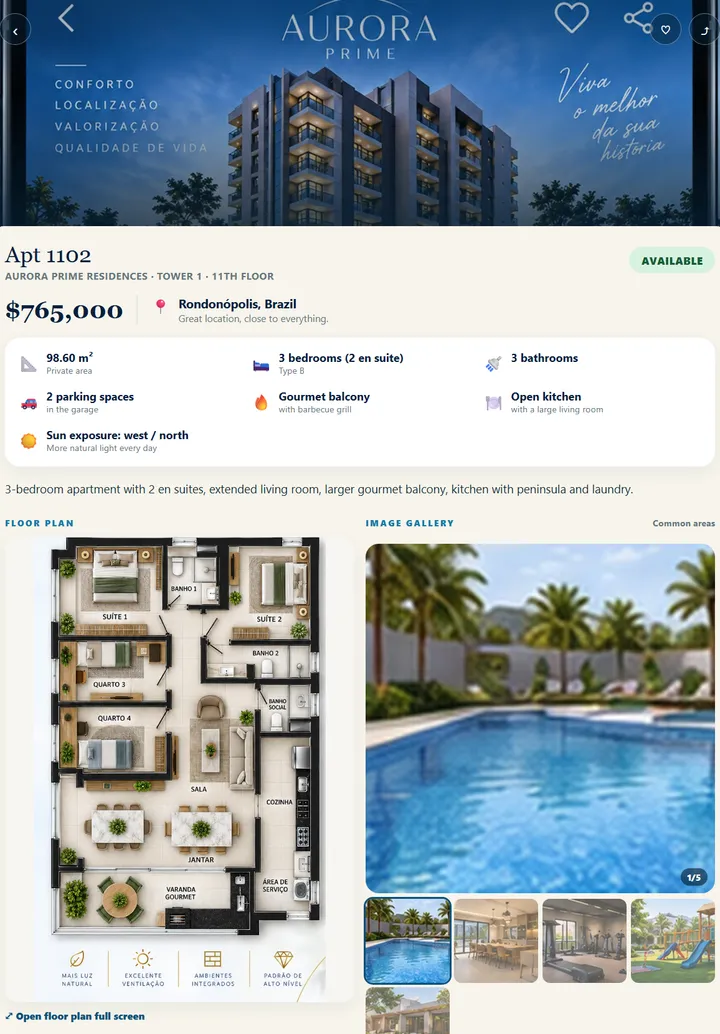
  • Towers, floors and a building map with the status of every unit
  • Floor plan types, area, bedrooms, bathrooms and parking spaces
  • Full-screen floor plans, gallery and common-area images
  • Finishes described by unit type
  • Price, payment options, financing simulation and reservation request on the unit page
Broker app: building map with floors and each unit colored by status
Building map
Broker app: apartment page with price, area, floor plan and gallery
Unit details
What sets us apart · reservation control

Auto-expiring reservations: no property stuck on hold

Without a rule, a broker can hold a property indefinitely and block the sale for the whole team. Time limits prevent that, with no one having to chase anyone.

1 request

No duplicates

A broker can only have one request per property.

20 min

Office deadline

With no answer, the request expires and the property stays available.

2 hours

Time to close

Once approved, the broker has 2 hours to complete it, with a countdown.

24 hours

Block

If not completed, the property goes back to Available and that broker can't reserve it for 24 h.
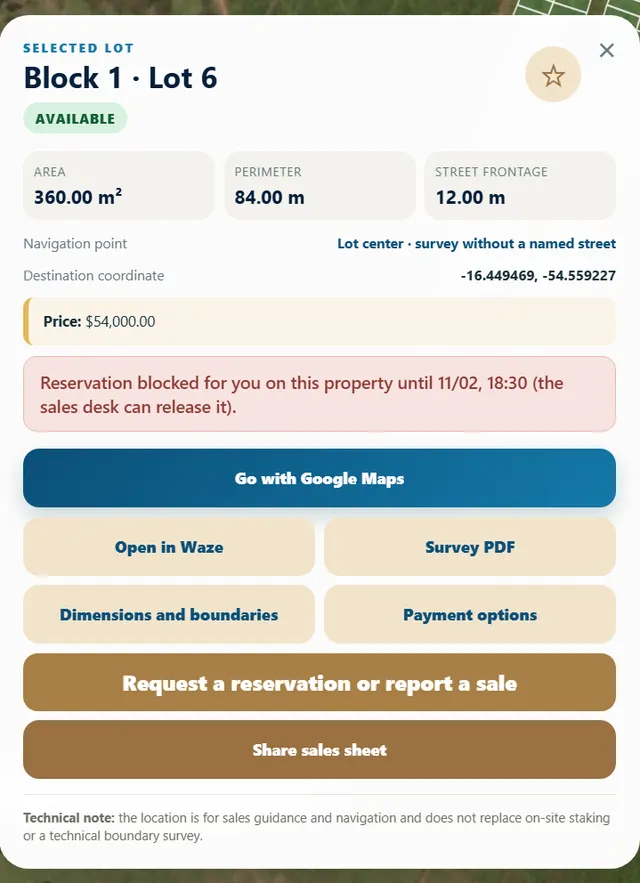
Broker app: lot details with a countdown to complete the reservation
Time to close
If not completed, the property goes back to Available and that broker can't reserve it for 24 h.
Block

The times are configurable. The values shown are the suggested default and can be set per development, according to your company's policy.

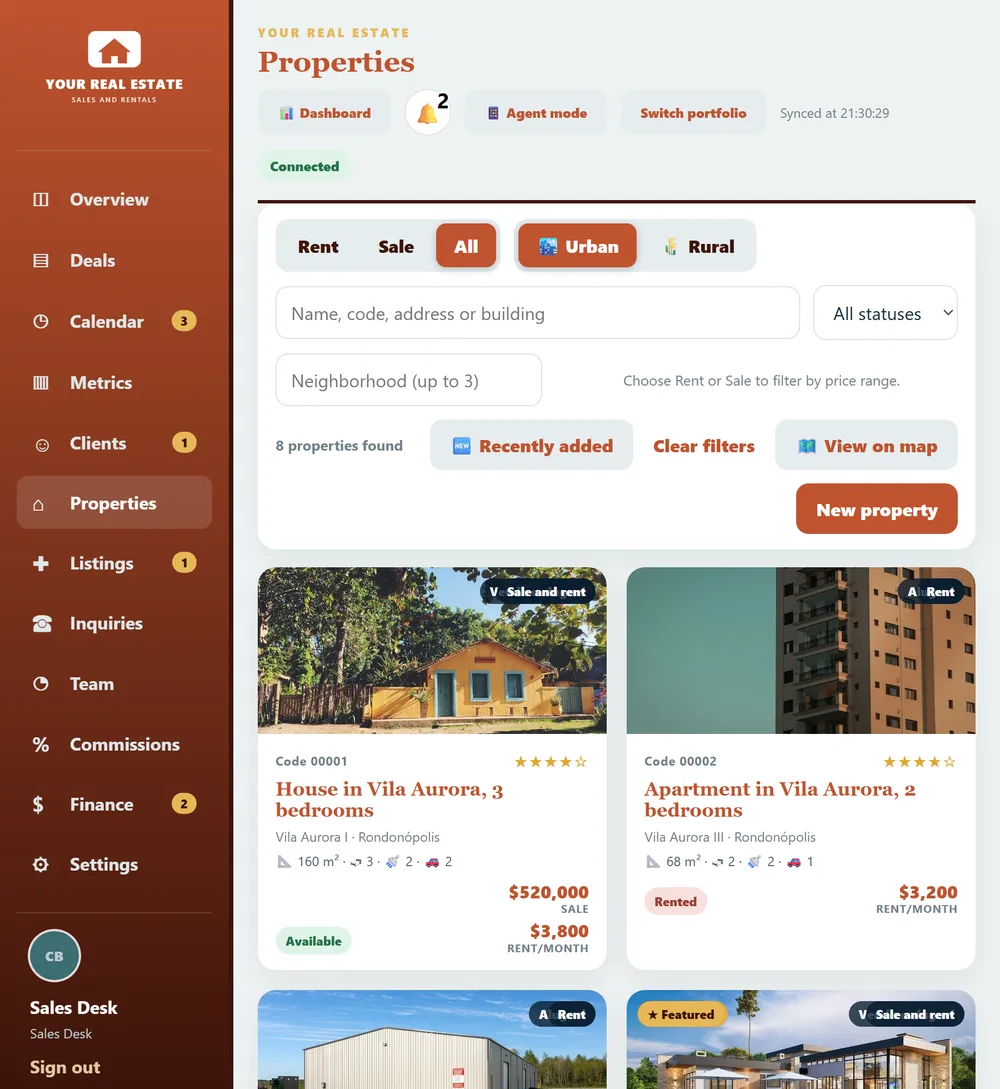
Real estate agency management

For agencies: CRM and rental management in one place

For agencies that sell and rent: clients, deals, calendar, properties, rental administration and the broker app.
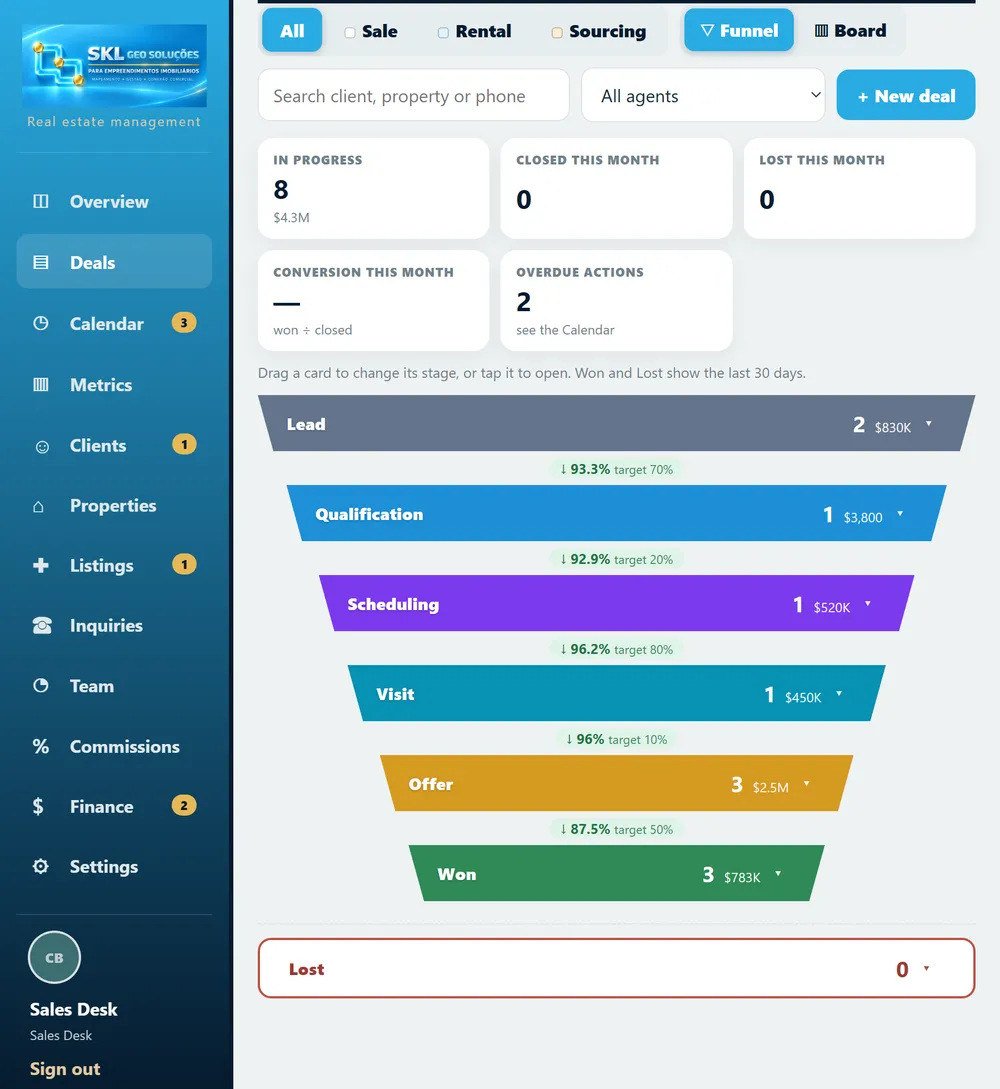
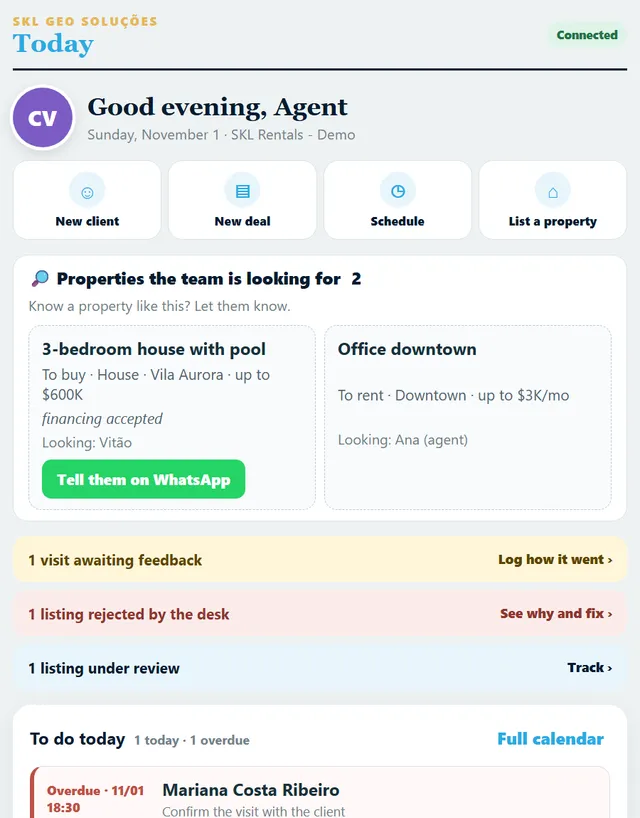
  • Sales, rentals and listings in a funnel with conversion targets per stage, or as a board
  • Urban and rural properties with photos, map and a listing quality score
  • Leases, rent collection with late fees and interest, and payouts to owners
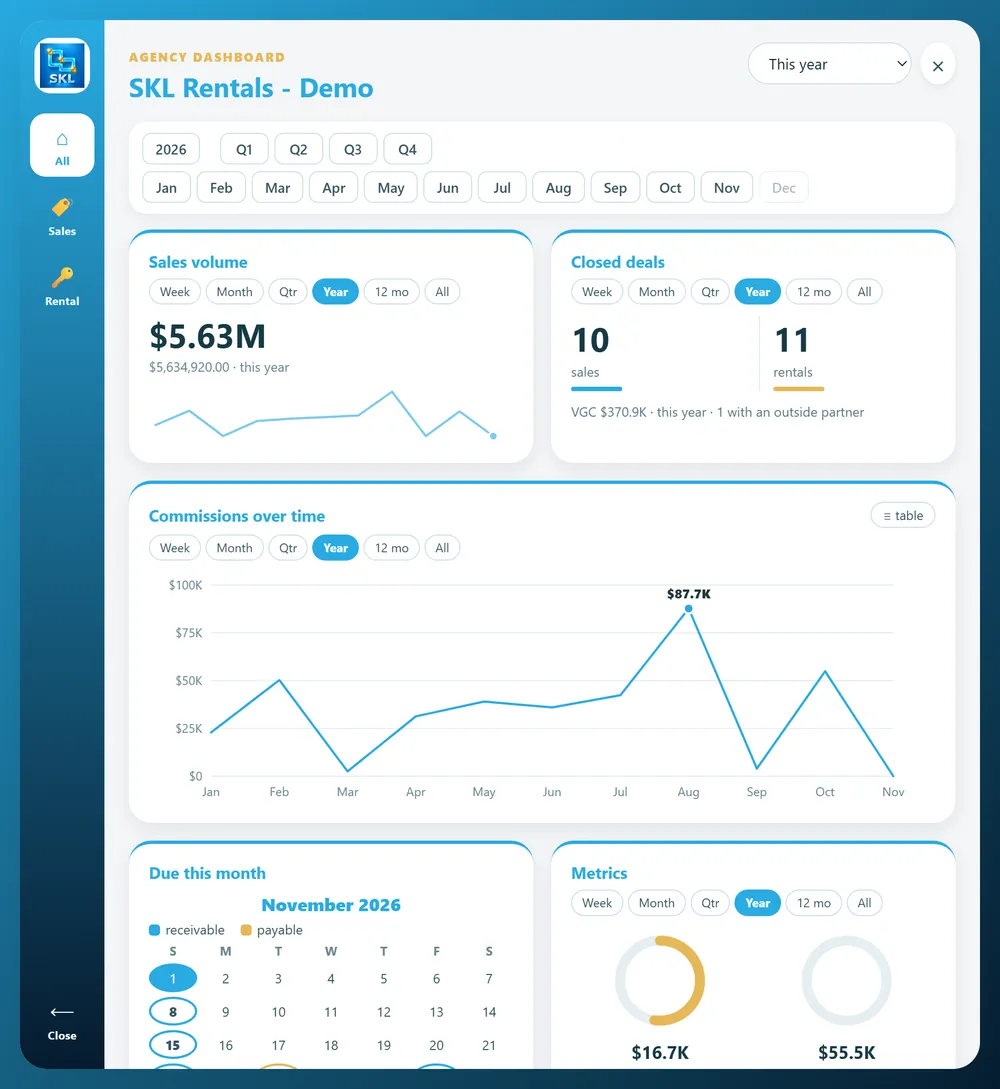
  • Agency dashboard: sales, commissions, due dates and targets
  • Broker app by link: Today, properties, clients, deals and commissions
  • Send a property to a client on WhatsApp, with photos and without owner data
Sales office: deals in a funnel with value per stage and conversion
Sales office — deal funnel
Broker app: Today screen with alerts and the day's follow-ups
Broker app — Today
Agency dashboard with sales, commissions and due dates
Agency dashboard
Onboarding

From first contact to the system running in your country

  1. Conversation and assessmentWe learn about your market, your sales team and your country's rules.
  2. AdaptationLanguage, currency, documents, reservation, payment and commission rules, with your brand.
  3. Data importMaps, lots, units, properties, floor plans and users.
  4. Training and testingTraining for the sales office and brokers, with a user guide.
  5. Go-liveYour team's link goes live, with support during the first days.

Custom pricing

Onboarding and the monthly fee depend on your country, team size, adaptations and integrations. Send us a message and we'll prepare a proposal.

Request a proposal

Questions

Frequently asked questions

Does the system work outside Brazil?

Yes. The platform runs in the cloud and is adapted during onboarding to your country's language, currency, documents and real estate rules. Today the interface is in Portuguese; the version in your language is part of the proposal.

Do I need to install a server?

No. The system runs in the cloud and your team just signs in. Brokers use a link on iPhone, Android and computers.

Can I keep using my CRM?

Yes. Where there is an integration, your CRM stays the official source and SKL turns that data into a visual, operational tool. Each integration is assessed case by case.

Can I see it working before deciding?

Yes. We run a live demo over video call, with the application working, and you receive a tailored proposal.

Talk to SKL

Shall we show you the platform with your development?

Book a live demo over video call and receive a proposal adapted to your country and your operation.

WhatsApp